SimpleCodeGenerator is a new tool for Windows that allows you to easily create QR Code for scanning with QR Code reader App on your Smartphone.
You can display the QR Code on the screen, copy it to the clipboard and then paste it to another program (as image), or save it image file – .png , .gif , .jpg , .tiff, or .bmp
SimpleCodeGenerator also allows you to generate QR Code from command-line and save it as image file ( .png , .gif , .jpg , .tiff, or .bmp) without displaying any user interface.
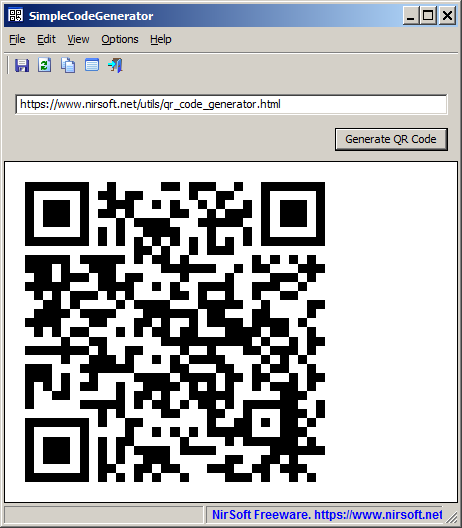
Like other NirSoft tools, SimpleCodeGenerator is a standalone .exe file that you can run on any system (From Windows XP and up to Windows 10) without installing anything.
You can download this new tool from this Web page.

Michael Smith says:
This is so cool of you. Thanks for everything you do.
April 21, 2021, 5:00 pmDanielle Johnson says:
Thank you. This is a great tool to easily distribute information to my customers about phone plans and services. I’m going to tag you in the small print of any fliers I use if that is okay.
May 10, 2021, 6:56 amMar says:
It would be nice to add a few things like:
– Size:
100 x 100
150 x 150
200 x 200
250 x 250
300 x 300
350 x 350
400 x 400
500 x 500
– Error correction:
L – Allows recovery of up to 7% data loss
M – Allows recovery of up to 15% data loss
Q – Allows recovery of up to 25% data loss
H – Allows recovery of up to 30% data loss
– Save Image format:
August 21, 2021, 5:29 amPNG, GIF, JPG, JPEG, BMP.
Gerd Maier says:
Thank you for this simple and very useful tool. I’m missing a command line parameter to copy the generated QR code to the clipboard.
April 12, 2022, 7:26 amGJL says:
Almost all QR code generators I tried (including my own in PHP!) fail on accented characters (ex: à, é, è, …) by displaying weird characters (ex: 閠, 語, 画, etc.) instead when producing VCARDs. For example:
BEGIN:VCARD
VERSION:3.0
N:Château;Émilie;;;
FN:Émilie Château
TITLE:Docteur en médecine
END:VCARD
results in:
Name:閠ilie Ch語eau
Title:Docteur en m画ecine
It took me ages to find a way around this glitch by putting in the “N:” line of the VCARD:
– a space after the first accented character (only after the first)
– or an accented character in any fields of the “N:” line
Don’t ask me why though! I’m not even sure of the purpose of the “N:” line in the VCARD short of being mandatory.
This VCARD works fine:
BEGIN:VCARD
VERSION:3.0
N:Châ teau;Émilie;;; <<=== a space after the first accented character OR
N:Châ;Émilie;;; <<=== last char of one of the fields is accented OR
N:Château;Émilie;;xyzô; <<== will also work OR
N:Château;Émilie;;Î; <<=== will also work
FN:Émilie Château
TITLE:Docteur en médecine
END:VCARD
Results in:
Name:Émilie Château
Title:Docteur en médecine
Hope this helps.
December 3, 2025, 4:27 pm